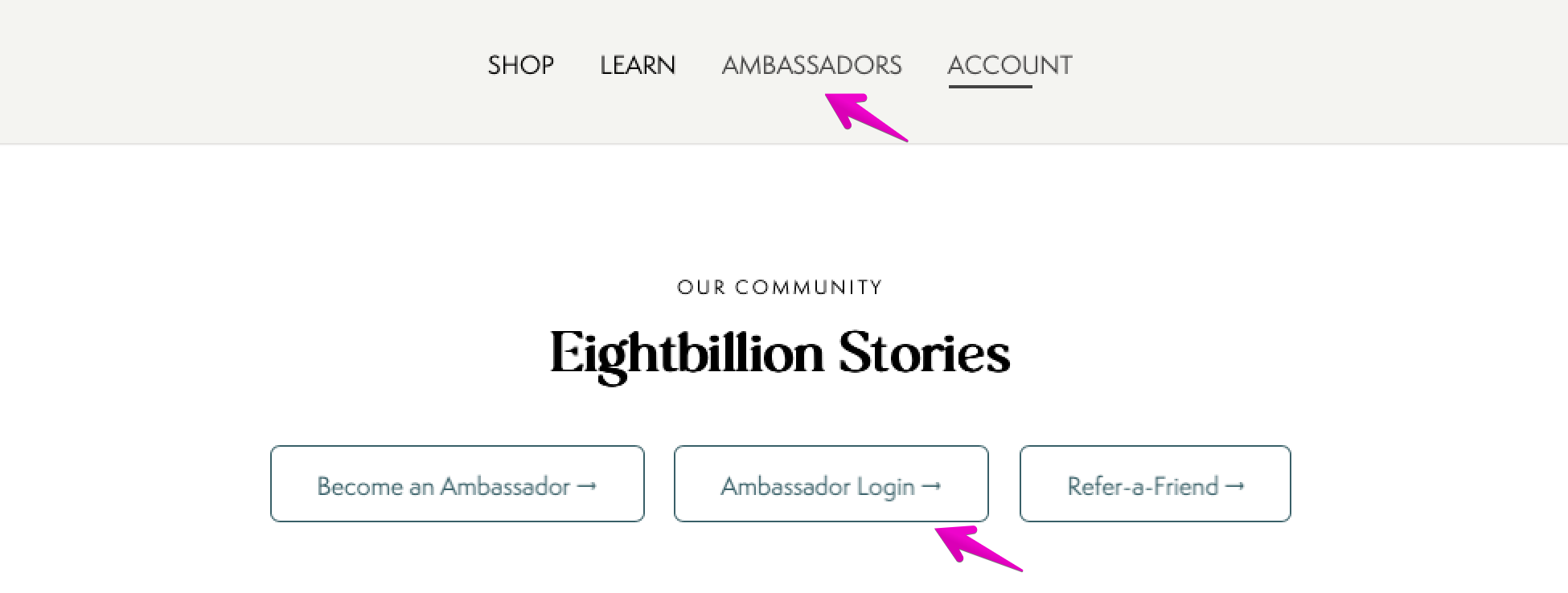
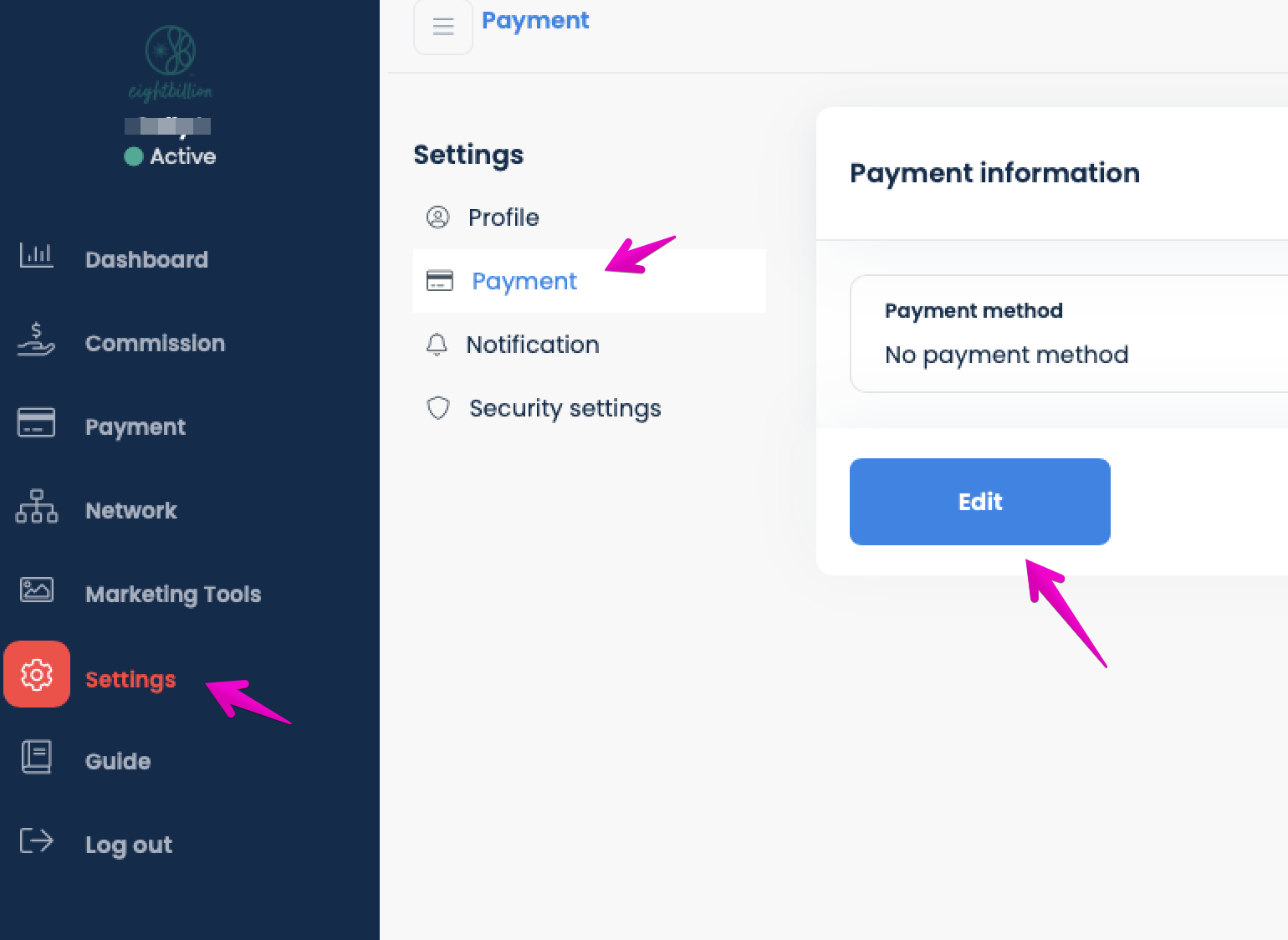
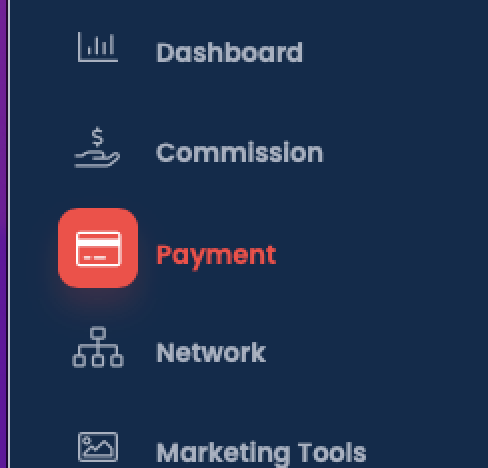
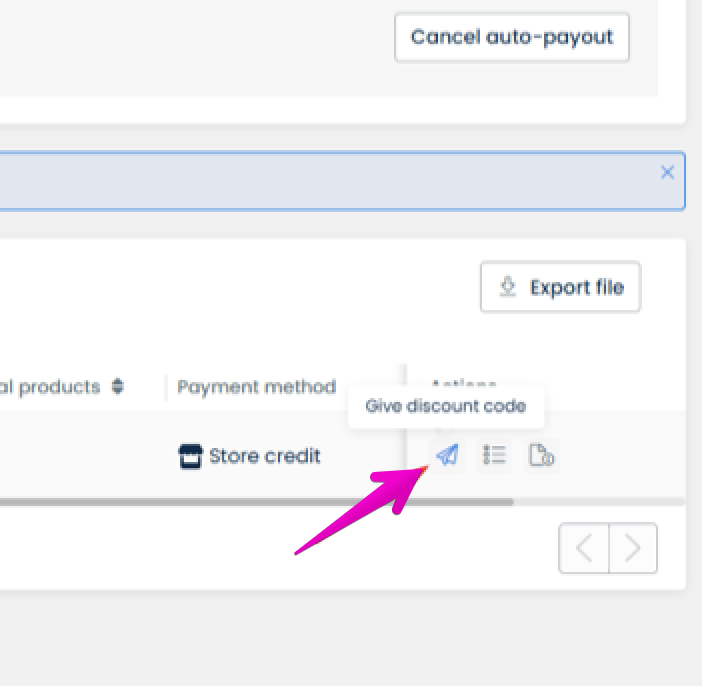
On the 1st of each month, your Ambassador dashboard will update with your earnings so you can redeem them for store credit or go right to your bank!Here's how: Step 1: Log in to Your Ambassador Account Visit the Eightbillion website at eightbillion.com. In the top navigation menu, click on AMBASSADORS. Click on the Ambassador Login → button to access your dashboard. Step 2: Update Your Payment Settings Once you are logged into your dashboard, locate the menu on the left side of the screen and click on Settings. From the Settings sub-menu, click on Payment. Look for the Payment information box on the right side and click the blue Edit button. Select Store credit as your preferred payment method and save your changes. Step 3: Redeem Store Credit for Your JostArriba Order Navigate back to the main left-side menu and click on the primary Payment tab. Locate your available store credit in the payment list. 3. Click the paper airplane icon under the actions column to select Give discount code and redeem your credit. 4. Copy the generated discount code and apply it at checkout to use your credit towards your next order of JostArriba!